
Creating a digital business card starts with a simple goal: make it easy for a potential customer, partner or colleague to identify you and get in touch. A digital visiting card is an online profile that can bring your key contact details and business links together in one place.
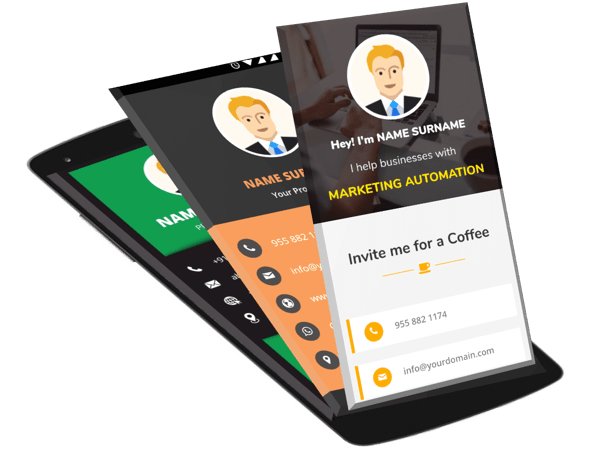
You do not need to add every feature at the beginning. Start with accurate information, a clear description and working contact options, then improve the card as your business needs develop.
Step 1: Decide what the card should achieve
Think about the main action you want a visitor to take. Do you want them to call, message you on WhatsApp, view your services, request a quote or book an appointment? Your answer should guide the layout and the primary button on the card.
Step 2: Prepare your business details
Collect your name, business name, professional title, short description, phone number, email, website and relevant social links. If customers visit your location, prepare the correct public address and map link. Verify every detail before publishing.
Step 3: Choose a clean design
Use brand colours consistently, keep text readable and choose a good-quality logo or photo. Avoid clutter, tiny text and too many decorative elements. A digital business card should load and read comfortably on a mobile screen.
Step 4: Add contact buttons and useful links
Prioritise the options your audience actually uses: call, WhatsApp, email, website or enquiry form. Add service details, portfolio items or a catalogue only if they help visitors understand your offer. Test each link rather than assuming it works.
Step 5: Check the card on a phone
Open the card on your own phone and review it as if you were a new customer. Confirm that the main contact button is easy to find, text is readable, images display properly and the page does not feel overcrowded. Test on more than one browser if possible.
Step 6: Share your digital visiting card
Once tested, share the link in appropriate places:
- WhatsApp conversations and follow-up messages.
- Your email signature.
- Business social media profiles.
- Customer proposals and digital brochures.
- QR codes on printed materials, packaging or a counter display.
- After meetings, networking events or service visits.
Share the card when it is relevant, and avoid sending unsolicited bulk messages. A helpful context—such as a short note about your services—makes the link more useful.
Step 7: Keep the information current
Review the card whenever your phone number, service offering, working hours, address or website changes. Test the live profile after making an update. If you use a QR code, confirm that it still points to the correct destination.
How to make your digital business card more effective
Use a specific description
Say what you do and who you help. Specific wording helps a visitor understand whether your services are relevant.
Focus on one main action
If most enquiries arrive on WhatsApp, make that route prominent. You can still include other options, but avoid giving every button equal visual weight.
Connect the card to your wider marketing
Use the same business name, branding and contact details across your website and social profiles. A digital card supports your marketing; it does not replace useful website content, customer service or follow-up.
Measure what happens next
Where possible, record how people find you and which channel generates genuine enquiries. Ask new customers how they discovered your business and review the results periodically. Do not assume that every card view becomes a lead.
Common setup mistakes
- Publishing a card before checking contact links.
- Using inconsistent business names or outdated details.
- Adding too much information above the main contact button.
- Using an untested QR code or broken URL.
- Expecting the card alone to generate customers without promotion and follow-up.
Ready to create your digital business card?
Prepare your business details and choose a design that makes contact simple. Explore Digital Bharat’s digital business card service to learn about creating a professional online visiting card for your business.
Related reading
- Why small businesses need a digital business card
- What to include on a digital business card
- How to create a digital business card
Frequently asked questions
Can I share a digital business card without printing it?
Yes. A shareable card link can be sent digitally. You can also use a QR code on printed material if you want to connect offline interactions to the online profile.
What is the most important part of a digital visiting card?
Accurate identity and contact information, plus a clear next step such as calling, messaging or sending an enquiry. Additional features should support that goal.
Will a digital business card automatically improve SEO?
Not automatically. SEO depends on factors such as useful page content, technical accessibility, search intent and site quality. A card can support contact sharing, but it should not be treated as a guaranteed ranking tactic.